Access to:
- Over 5 hours of video content (~40 videos) and follow-along exercises
- Different small and one big design project
- Several downloadable template files
- Access for 2 years including all updates
- Course certificate
- Official invoice for reimbursement
Content Summary (check out detailed course plan below):
- Introduction to and setup of the software Inkscape and its workspace
- Understand vector graphic basics and Inkscape’s layers
- Proper use of colors and color combinations for scientific communication
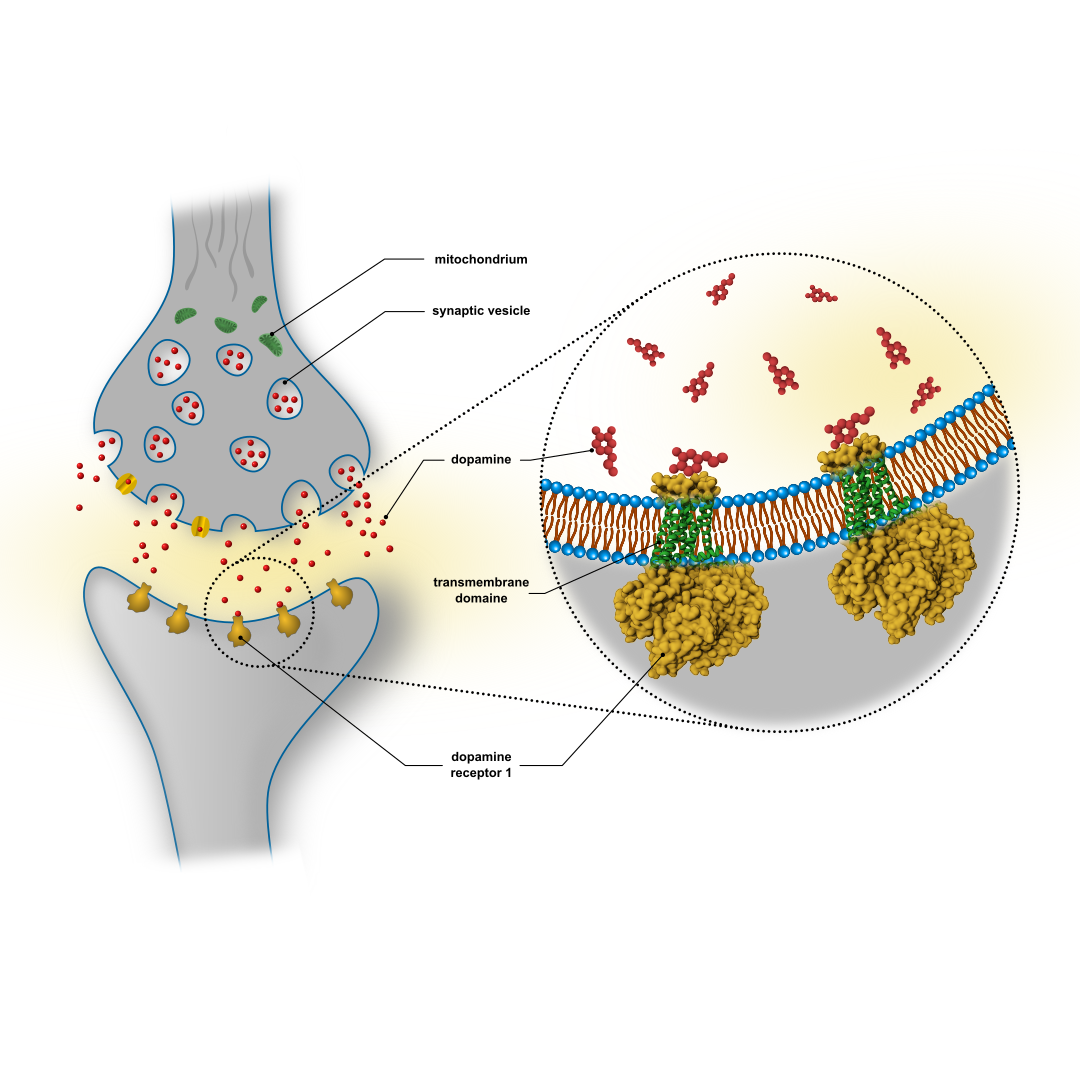
- Get familiar with 2D objects and paths by drawing biological structures of choice hands-on
- Add special effects with linear, radial and multi-point gradients
- Create pseudo-3D objects
- Create flexible, adjustable or repetitive structures (example: lipid bilayer)
- Use an online data base to integrate protein structures into your design
- Manage image-to-image blending, object clipping and masking
- Add filter effects and shadowing
- Exporting options for your designs
Category:
Hard-Skill / Scientific Software Course
Main Target Group and Focus:
Life or Natural Scientists starting at the level of undergraduate students. Independent of the scientific background, everybody is invited to join if interested in the topic.
Difficulty Level:
The difficulty level is basic to medium and easy to follow in step by step procedures and in-depth explanation of the necessary background to the individual methods. Also scientists with some prior knowledge will still benefit from the methods taught.
Pre-requisites:
- Computer or Laptop (best Windows or Linux)
- IMPORTANT: MacOS version 10.11 or newer (after 2018), older OS X versions do not support the newest Inkscape used in the workshop
- MUST: computer mouse (touchpad will not work!) and at least 1 (better 2) screen(s)
- Optimally, 2 monitors to watch the workinar on one and do the practical part on the other
- Proficiency in handling your computer in general
- Possibility to install software on your computer (or administrator rights)
Software:
During the course we will use a customized version of Fiji (ImageJ bundle) as well as Inkscape. Both are free, accessible for everybody and open source. Prior software knowledge is not required but might be of advantage.
Access Period:
- 36 months from day of purchase (extendable on request)
Course plan
Welcome
Introduction
Inkscape Setup
Layout
SVG Objects
Shape Builder Tool
Project - Synapse 1
Color
Project - Synapse 2
Adding External Content
Project - Synapse 3
Text and Labels
Project - Synapse 4
Saving and Exporting Files
Bonus Material
Closing Remarks